Apps· Mar 2026
Language Translation Tool
A desktop translator that keeps working when a free translation API goes down — and reads the result aloud.
- translation providers with automatic fallback
- 2
- Built with
- PythonPyQt6requestspyttsx3
Problem
Free translation APIs rate-limit and go offline without warning. A translator that depends on a single provider simply stops working — and a crash is the worst possible user experience.
Approach
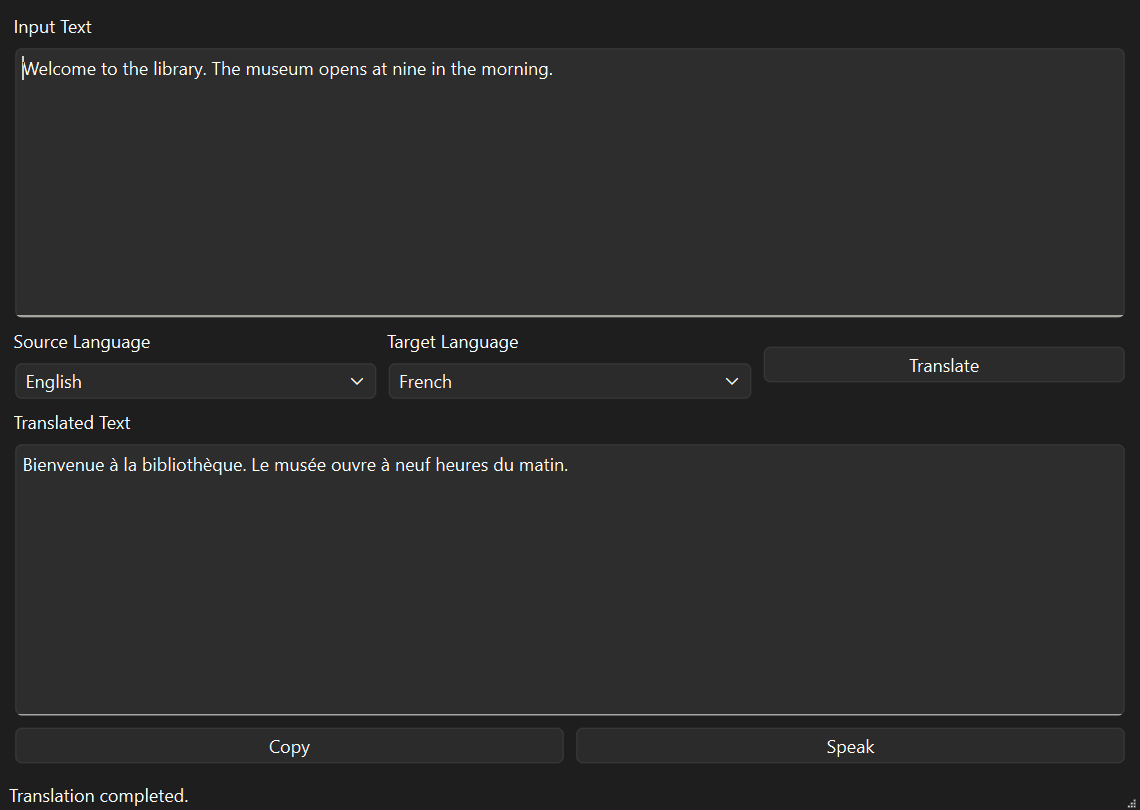
- PyQt6 desktop app translating between English, Arabic and French.
- Provider fallback chain: tries a LibreTranslate server first, then automatically falls back to the MyMemory API if it fails.
- Offline text-to-speech with pyttsx3, picking an installed OS voice that matches the target language.
- Friendly error handling for empty input, over-long input (2,000-character limit), network failures and missing voices.
- Configuration from environment variables — provider URLs and API keys are never hard-coded.
- UI separated from logic: the window calls service classes, so providers or the TTS engine can be swapped without touching the interface.
Results
- The app keeps translating even with the default LibreTranslate server offline — requests are served by the MyMemory fallback.
- Copy-to-clipboard and read-aloud in one click.
What I learned
- Design for unreliable dependencies: a fallback chain keeps the app usable when one provider fails.
- Validate API responses — MyMemory sometimes returns an empty top result, so the app falls back to the next-best match.
- Configuration belongs outside the code, so no secrets end up in the repo.
Next steps
- Run translation on a worker thread so the UI never freezes on slow networks.
- Unit tests for the translator and speech services.
- Package as a standalone executable with PyInstaller.